

Builder App
Build Interactive 3D Instructions Without Complexity
Create step-by-step 3D procedures using an intuitive web-based studio. Combine animations, text, media, and guidance into interactive instructions that accelerate training, improve consistency, and help teams perform with confidence.
Get Started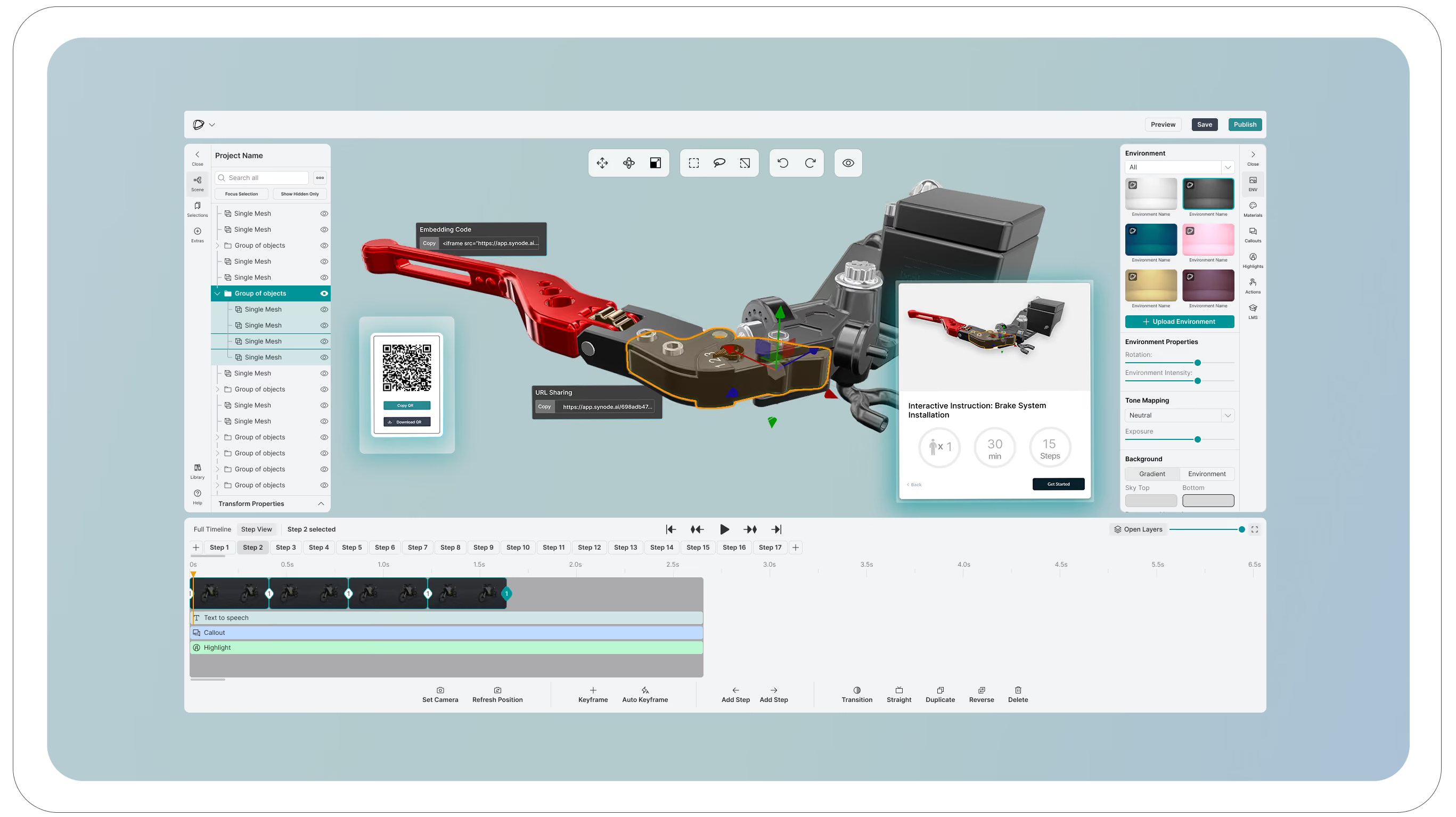
Author Step-by-Step Sequences
Turn complex processes into clear, interactive 3D instructions that are easy to follow and update.
Enrich Every Step
Add annotations, images, videos, documents, safety information, and checkpoints to provide complete context.
Scale Knowledge Across Teams
Publish assembly guides, work procedures, training programs, maintenance instructions, and service workflows from a single platform.
How the Synode Builder App Works
1. Upload 3D Model
Import your CAD or 3D assets and prepare them for interactive product experiences without complexity.
How the Synode Builder App Works
2. Build your guide
Create step-by-step experiences by defining procedures, organizing content, and structuring the journey users will follow.
How the Synode Builder App Works
3. Add Requirements
Include tools, parts, safety information, prerequisites, and other resources needed to complete each task successfully.
How the Synode Builder App Works
4. Add Touchpoints
Track how users interact with your guides, identify engagement patterns, and gain insights into completion rates, drop-off points, and user behavior.
How the Synode Builder App Works
5. Deploy and Share
Publish your experience and share it instantly across websites, sales presentations, training materials, and customer touchpoints.

Embed everywhere
You can connect Synode like a youtube video in your website, private intranet or via our integrations like Shopify
For all use cases: Customers, partners, employees
Share your 3D step by step visuals as training moduls, installation manuals or marketing visualizations for clients.

Analytics
Keep track and analyze what is being done with your 3D visualization, steps, marketing touchpoint, product registration and more.

Create different workspaces for your different brands
Keep content organized, manage access independently, and maintain clear separation across your organization.